Download Grozho Billing
Ultra-fast POS billing software for Kirana stores. Works 100% offline with instant barcode scanning, thermal printing, GST invoices, and cloud sync.
Choose Your Platform
Download native billing software for your desktop or access mobile apps for store owners, customers, and delivery partners.
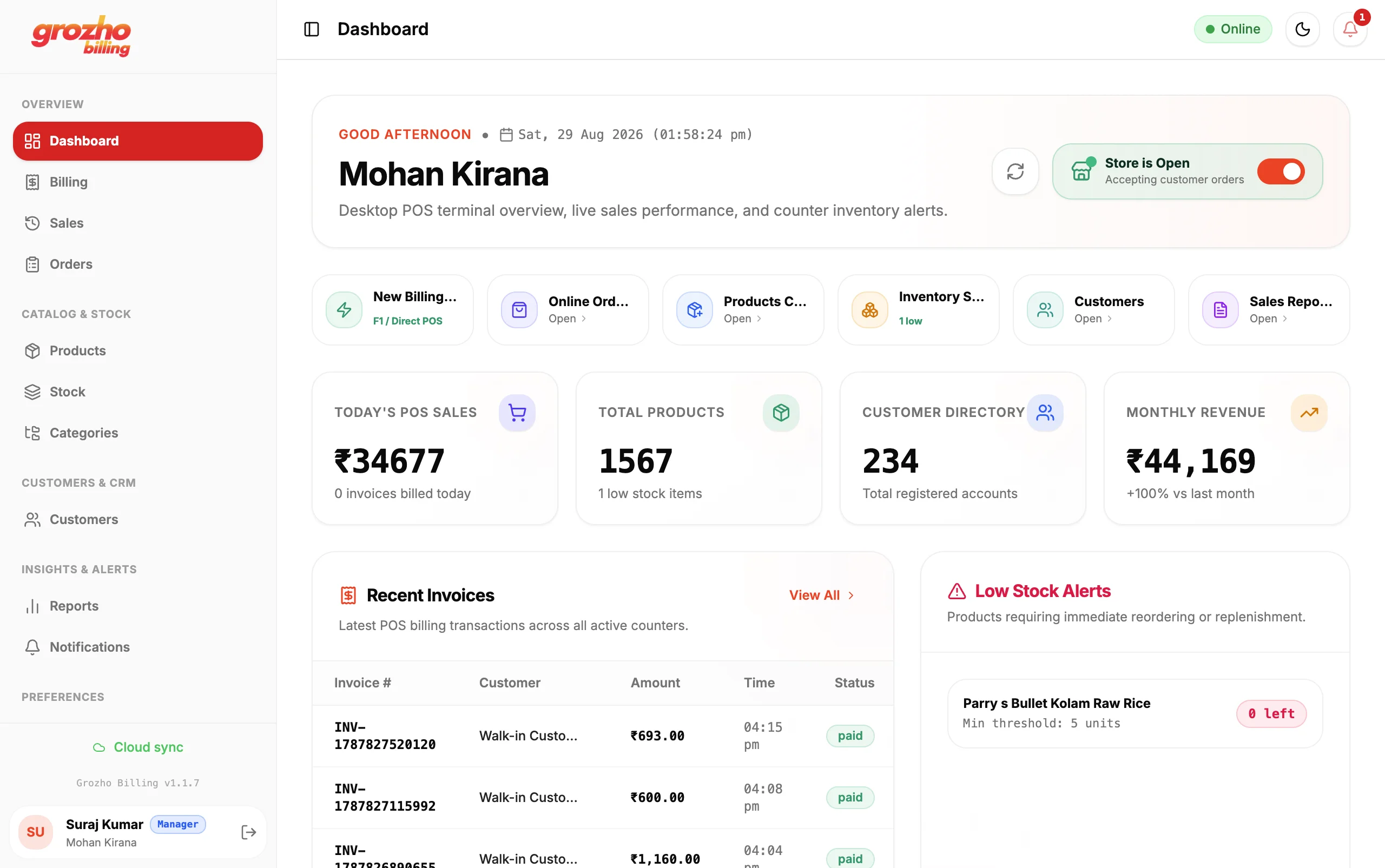
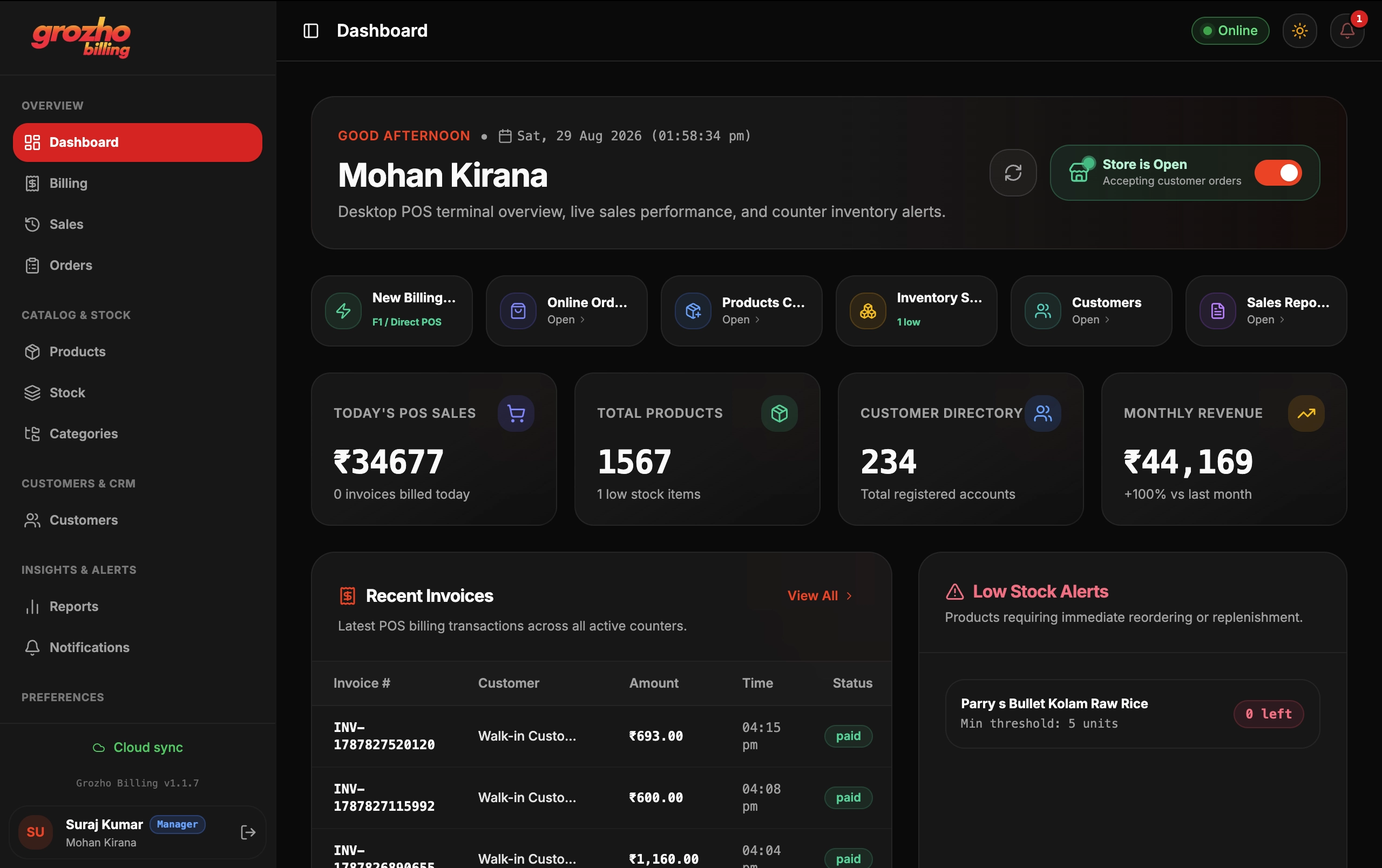
Windows POS Billing
High-performance offline POS billing with barcode scanner, thermal printing, and automatic cloud backup.
macOS POS Billing
Native macOS billing application optimized for Apple Silicon (M1/M2/M3/M4) and Intel Macs.
Web Admin Dashboard
Manage products, live orders, employees, and analytics from any web browser.
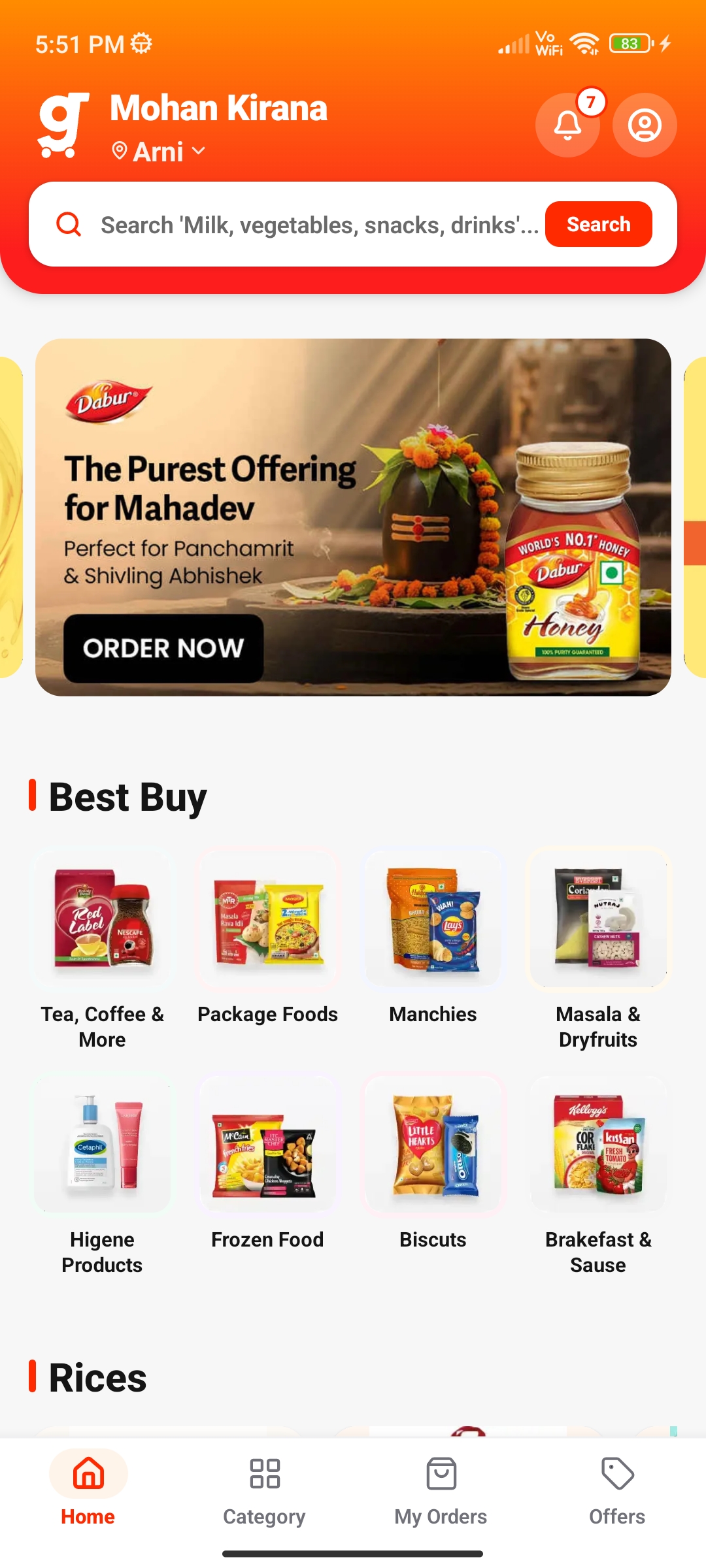
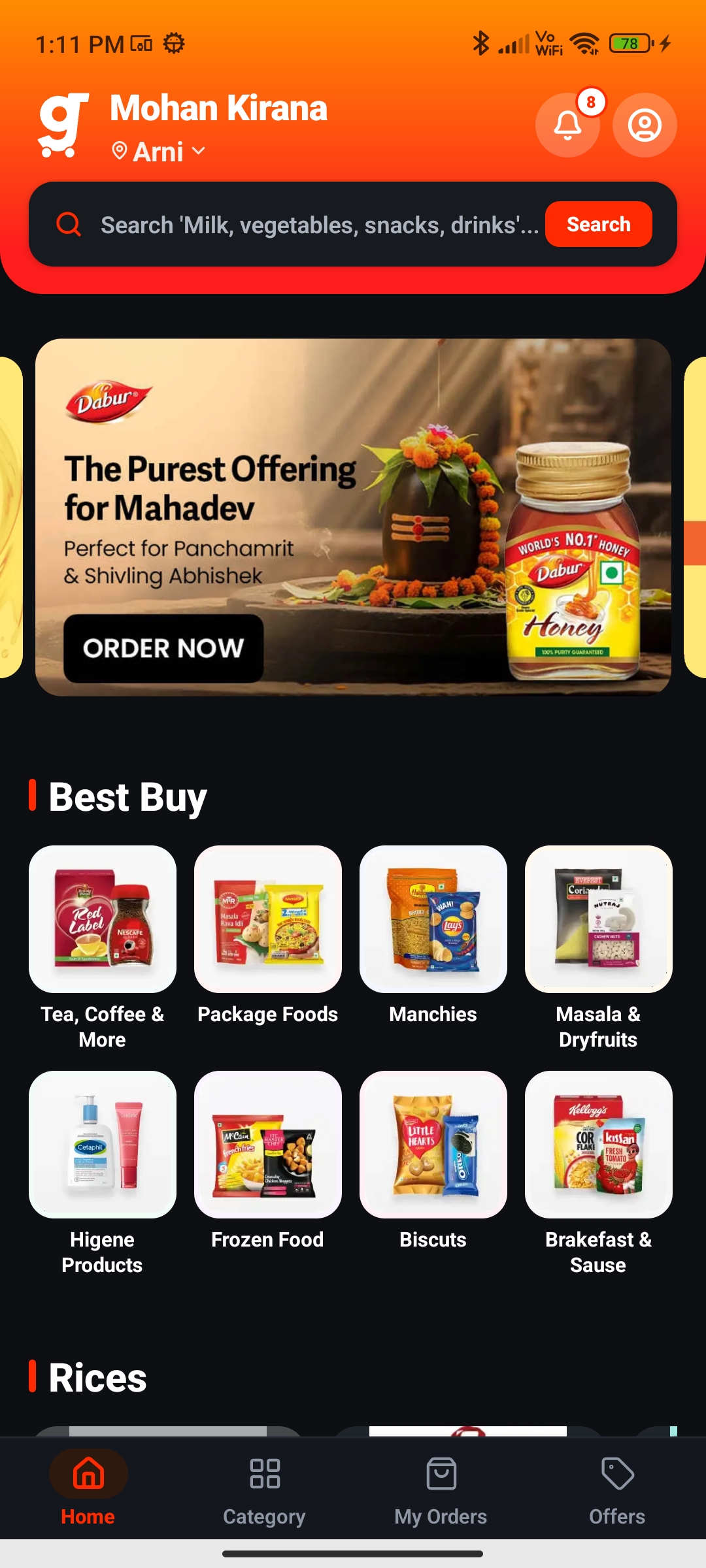
Android Customer App
Let your customers order groceries and daily essentials directly from your store.
iPhone Customer App
Premium iOS grocery shopping experience for iPhone and iPad users.
Delivery Partner App
Manage assigned deliveries, live route navigation, and secure OTP order confirmation.
How to Install & Get Started
Get Grozho POS running on your store computer in 4 straightforward steps.
Download Installer
Download the official Windows (.exe) or macOS (.dmg) package from the download links above.
Run & Install
Open the downloaded setup file and follow the seamless 1-click wizard to install Grozho on your computer.
Sign In
Login using your registered mobile number and OTP or store admin credentials to sync your catalog.
Start Live Billing
Connect thermal printers and barcode scanners to start ringing up super-fast offline and online sales!
Recommended System Requirements
Ensure your store PCs, Macs, and smartphones meet these specifications for seamless, high-speed performance.
Windows Desktop
- Operating SystemWindows 10 or 11 (64-bit)
- ProcessorIntel Core i3 / Ryzen or better
- Memory (RAM)4 GB RAM (8 GB Recommended)
- Disk Storage500 MB Free SSD Space
- ConnectivityWorks 100% Offline (Syncs when online)
macOS Desktop
- Operating SystemmacOS 12 (Monterey) or later
- ProcessorApple Silicon (M1/M2/M3/M4) or Intel
- Memory (RAM)4 GB Unified Memory minimum
- Disk Storage500 MB Available Storage
- ConnectivityWorks 100% Offline (Syncs when online)
Android Apps
- Android VersionAndroid 8.0 (Oreo) or later
- Memory (RAM)2 GB RAM minimum
- Location / GPSRequired for Delivery Boy Tracking
- CameraRequired for QR / Barcode scanning
- Network4G / 5G / Wi-Fi connection
iOS Customer App
- iOS VersioniOS 15.0 or later
- Compatible DevicesiPhone 8, XR, 11, 12, 13, 14, 15, 16+
- Storage Required100 MB Available Space
- Location ServicesRequired for nearby Kirana store discovery
- Network4G / 5G / Wi-Fi connection
Why Kirana Stores Choose Grozho Desktop
Our native billing software is engineered for unmatched speed, offline reliability, and effortless retail management.
100% Offline Billing
Keep billing even without internet. Zero downtime during rush hours.
Instant Cloud Sync
Auto-syncs local sales & stock with your mobile app & web dashboard.
Sub-Second Billing
Generate & print invoices in under 1 second with instant thermal print.
Automatic Backup
Never lose financial records. Continuous local & encrypted cloud backups.
GST Invoicing Ready
1-click GST & non-GST bills with auto-calculated HSN and tax slabs.
Barcode Scanner Ready
Plug-and-play support for all USB & Wireless 1D/2D barcode scanners.
Real-Time Inventory
Automatic stock deduction on sales with low-stock warnings.
Delivery Fleet Sync
Assign orders to delivery boys straight from the desktop POS.
Live Profit Reports
Track daily sales, cash/UPI collections, and profit margins instantly.
100% Secure & Private
Bank-grade data encryption ensuring your store data remains strictly yours.
Download Questions & Answers
Everything you need to know about downloading, installing, and running Grozho on your devices.
Need help installing Grozho?
Our technical team will remotely help you install the software, configure your thermal printers and barcode scanners, and import your product catalog.
Grow Your Kirana Business with Grozho
Manage billing, inventory, online orders, deliveries, and customers from one powerful platform.